

Download TubeReaver
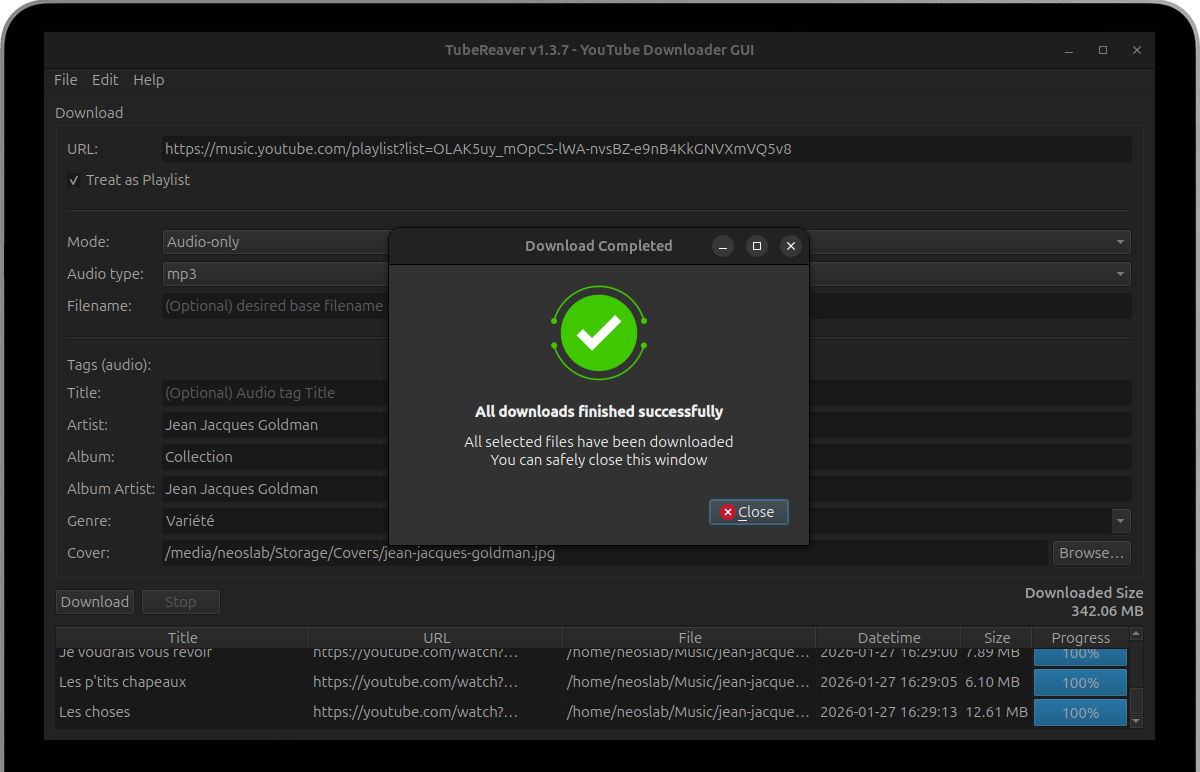
Streamline your YouTube content downloads with TubeReaver - the intuitive PyQt6 GUI downloader that handles videos, playlists, and audio with metadata tagging and progress tracking.
Open source and completely free
No root access required for basic cleanup
Installation Guide
Select your preferred installation approach to get TubeReaver running on your system. TubeReaver is optimized for Ubuntu 22.04, 23.04, 23.10, 24.04, 24.10 and 26.04. Our installation process includes dependency management, automatic configuration, and verification for a smooth setup.
Install from DEB Package (Recommended)
Download the latest DEB package and install using dpkg. This method automatically handles dependencies.
1. Download the TubeReaver package
Downloads the latest TubeReaver DEB package directly from GitHub releases (v1.4.3)
wget https://github.com/tubereaver/app/releases/download/v1.4.3/tubereaver_1.4.3_all.deb2. Install the DEB package
Uses dpkg package manager with sudo privileges to install TubeReaver system-wide on your Ubuntu system
sudo dpkg -i tubereaver_1.4.3_all.deb3. Fix missing dependencies
Automatically resolves any missing system dependencies that TubeReaver requires for proper functionality
sudo apt-get install -f4. Launch TubeReaver
Starts the TubeReaver application directly from terminal or search for it in your system application menu
tubereaverInstall from Source
For developers or users who want the latest features. Requires Python 3.12+ and pip.
1. Clone the repository
Downloads the complete TubeReaver source code repository from the official GitHub project page
git clone https://github.com/tubereaver/app.git2. Navigate to directory
Changes your current working directory to the TubeReaver source code folder you just downloaded
cd tubereaver3. Update package lists
Refreshes your system's APT package repository information to ensure access to latest packages
sudo apt update4. Install system dependencies
Installs all required system packages including Python Qt6 GUI framework bindings and FFmpeg
sudo apt install -y python3-pyqt6 python3-pyqt6.qt6-tools ffmpeg5. Upgrade Python package manager
Ensures pip (Python package installer) is updated to latest version for reliable dependency installation
python -m pip install --upgrade pip6. Install Python dependencies
Installs all required Python packages and libraries from the project's requirements.txt configuration file
python -m pip install -r requirements.txt7. Run TubeReaver
Starts the TubeReaver application directly from Python source code without system-wide installation
python main.py8. Create desktop entry (Optional)
Adds TubeReaver to your system application menu for easy launching without using terminal commands
sudo cp tubereaver.desktop /usr/share/applications/Smart download algorithms with pytubefix backend support for video, playlist, and audio-only downloads with customizable quality settings
Comprehensive metadata tagging with cover image embedding, genre selection, and automatic filename formatting with prefix/suffix options
Thread-safe downloads with progress tracking, OAuth support for restricted content, and graceful interruption with stop button functionality
Track latest improvements and system compatibility updates in the Release Notes
Frequently Asked Questions
Find immediate answers to frequently asked questions about TubeReaver's installation process, download features, metadata tagging, and system compatibility requirements for different Linux distributions.
View All FAQs View All FAQs-
System requirements for TubeReaver
TubeReaver requires Ubuntu 22.04+ or Debian-based systems with Python 3.12+, PyQt6, FFmpeg, and pytubefix. Modern multi-core processor recommended for faster video processing and conversion.
-
Supported download formats and features
TubeReaver supports Highest MP4, Audio-only (m4a/mp3), and manual itag selection. Includes metadata tagging, cover image embedding, playlist downloads, and OAuth support for age-restricted content.
-
Metadata tagging and organization
-
Automatic metadata extraction from YouTube with manual override options for title, artist, album, and genre fields
-
Cover image embedding support with automatic download from YouTube or custom image file selection
-
-
Supported distributions and compatibility
Officially supports Ubuntu 22.04+ and Debian-based systems. Community-tested on Linux Mint, Pop!_OS, and other Debian derivatives with full PyQt6 and FFmpeg functionality.
-
Troubleshooting and support resources
-
Check the GitHub Issues page for known problems and community solutions to common download and metadata challenges
-
Enable verbose logging in preferences for detailed operation tracking and ensure FFmpeg is properly installed for audio conversion
-